
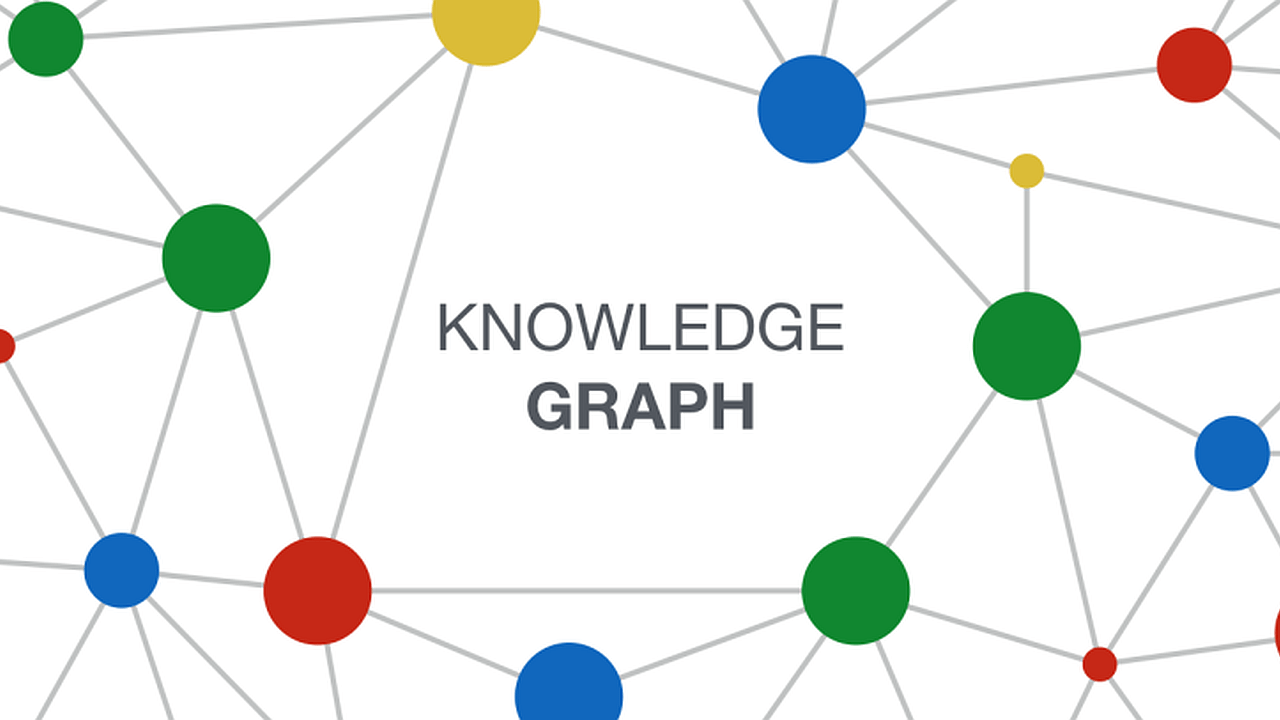
Understanding Canva Mindmaps
Remember the last time you faced a disorganized folder full of meeting notes, endless spreadsheets, and scattered ideas from various teams—all while a critical deadline was looming? For business leaders, transforming this “file chaos” into a clear, actionable plan is more than a pain point—it’s a daily reality that impacts everything from strategic decision-making to productivity. That’s precisely where Canva mindmaps come in, turning complex, disconnected information into a visual structure that boosts efficiency and clarity. At Weeki, we’ve helped organizations transition from static documentation to interactive, AI-powered knowledge networks, leveraging mind mapping as a gateway to smarter decision-making and streamlined operations.
Definition and Purpose
Canva mindmaps are interactive, digital diagrams designed to organize information visually using nodes and relationships—built directly within Canva’s diagram tools. Unlike linear documents that are hard to navigate and quick to become outdated, a mind map starts from a central concept and radiates out to related ideas, tasks, or data points, closely mirroring how our brains process and connect knowledge. This visual method isn’t just about making things look better; it actually helps users retain up to 32% more information compared to traditional note-taking, according to a 2023 study published in the “Journal of Visual Literacy.”
The primary purpose of using Canva mindmaps extends far beyond simple brainstorming. In the context of modern enterprises, here’s how these digital mind maps become business-critical tools:
- Simplifying Complexity: Untangle complex workflows, research findings, or project requirements in one glance—vital for decision-makers who need clarity fast.
- Accelerating Problem-Solving: Quickly spot information gaps, dependencies, and creative solutions by visually mapping out options and challenges.
- Driving Engagement: Replace flat presentations with interactive, living diagrams that evolve as strategies and teams change, ensuring alignment across departments.
- Building Process Transparency: Document processes, organizational charts, or Standard Operating Procedures (SOPs) in a format that’s easy for new hires and veterans alike to understand and use.
Forward-thinking organizations now make Canva mindmaps a backbone of their visual brainstorming sessions, knowledge management, and collaborative planning. For example, one global consultancy used mind mapping to centralize research for a multi-million dollar client project—cutting their preparation time by 42% and improving stakeholder engagement during workshops.
Benefits of Mind Mapping Software
Embracing mind mapping software, such as Canva, provides measurable benefits for businesses ready to innovate, align teams, or automate knowledge work:
- Faster Information Processing: Studies show teams working with mind maps complete analysis tasks up to 20% faster than those using text-based documents alone (Buzan Centre, 2022). The spatial, non-linear layout makes it easier to identify connections and retrieve data across projects.
- Enhanced Collaboration: With cloud-based collaboration tools for mind maps, teams can comment, edit, and brainstorm in real time—reducing misunderstandings and enabling seamless communication, whether remote or on-site. Organizations using mind mapping report a 30% reduction in meeting times thanks to improved focus and clarity.
- Smarter, More Reliable Decisions: Interactive digital mind maps let leaders visualize dependencies and risks, powering evidence-based decisions. By integrating mind maps into a unified knowledge platform like Weeki, companies can link documents, datasets, and even internal databases—transforming raw files into an intelligent, interconnected ecosystem.
- Efficient Onboarding & SOP Management: Map out onboarding processes, organizational charts, or Standard Operating Procedures (SOPs) in interactive diagrams. This reduces ramp-up time for new team members by up to 45%, according to Weeki client case studies, and ensures compliance with evolving internal rules.
For enterprises looking to fast-track their knowledge management journey, Weeki combines an all-in-one software solution with personalized consulting to optimize every step—from visualizing workflows with Canva mindmaps to linking them with operational data, automating document creation, and scaling analytics. By dovetailing mind mapping software with AI-powered document automation and a centralized knowledge portal, businesses transform fragmented files into a secure, dynamic, and auditable intelligence platform.
In short, choosing the right mind mapping software is about unlocking collective intelligence, minimizing wasted time, and future-proofing your organization’s growth. Canva mindmaps, especially when enhanced by advanced platforms like Weeki, empower teams to move from confusion to clarity, making every strategy session, project kickoff, and performance review more productive, visual, and effective.
Exploring Mind Map Templates in Canva
Selecting the Right Template for Specific Projects
When it comes to mastering Canva mindmaps, the real challenge for C-level leaders and enterprise managers is turning complex ideas into actionable strategies. Whether you’re structuring a multi-phased product launch, streamlining a departmental workflow, or leading a high-stakes strategic planning session, choosing the right mind map template is critical. In the expanding landscape of mind mapping software, Canva mindmaps distinguish themselves through a wide range of ready-to-use, business-focused templates. These templates span everything from creative brainstorming webs to detailed organizational charts, offering the power and flexibility needed to suit any business scenario.
To maximize impact, it’s essential to align your template with the specific goals of your project. According to the Mind Mapping Software Benchmark Report (Biggerplate, 2023), users who tailor templates to project requirements increase productivity by 28% and reduce planning time by a third. Choosing the right mind map template creates clarity, boosts participation, and accelerates successful outcomes.
Assess Your Project’s Requirements for Maximum Efficiency
The first step in leveraging Canva mindmaps effectively is understanding the nature and desired outcome of your project. Are you orchestrating an organization-wide digital transformation? Or maybe you need fast-paced idea generation during a team offsite? For complex planning that cuts across different business units, an organizational chart or a hierarchical strategy tree may be most effective. Canva mind maps come with templates designed for various needs:
- Strategic frameworks connecting goals, KPIs, and milestones—ideal for annual planning sessions.
- Brainstorming maps that support rapid-fire idea capture and group discussion.
- Process flowcharts for mapping operational workflows or multi-stage project plans.
By analyzing complexity levels, decision cycles, and key stakeholders, you can select a template that sets your session up for clarity and impact.
Template Choices to Suit Project Types
- Brainstorming and Visual Ideation: For kick-off meetings and early product concepting, radial mind map templates foster out-of-the-box thinking. By placing your core theme at the center, you visually unlock a web of sub-ideas, ensuring nothing drops through the cracks. For example, a SaaS development team recently used Canva’s radial mind map format to consolidate over 80 feature suggestions in a single session, quickly clustering them into MVP, backlog, and quick-win categories.
- Organizational Charts and Workflow Mapping: Enterprise leaders structuring reporting lines or business processes should use Canva’s hierarchical templates. These stepwise formats—visually similar to org charts or process trees—make it easy to clarify responsibilities and dependencies. Research from McKinsey suggests that clear visual workflow mapping reduces role confusion and speeds up onboarding by up to 40%.
- Analytical Decision Making: For executive-level decisions, comparison charts and multi-layered decision trees help teams weigh trade-offs efficiently. Canva mindmaps with side-by-side branches are perfect for scenario planning or SWOT analysis, helping visualize alternatives directly for faster, consensus-driven results.
Bring Your Data to Life with Canva Diagram Tools
Personalization is where mind map templates transform from static visuals into powerful knowledge assets. Canva diagram tools allow you to drag and drop critical content—KPIs, process indicators, or supporting visuals—directly onto your template. Customization features include branded color schemes, corporate icons, data sourcing, and real-time collaboration functions. Imagine a project team collaborating simultaneously on a digital mind map, embedding live data from recent sales reports and AI-generated forecasts: the outcome is an interactive, decision-driving asset that adapts as your discussion evolves.
This process echoes principles found in innovative solutions like those from Weeki. For enterprise-level knowledge management, Weeki centralizes scattered data, organizes it visually, and connects it to business agents that automate map and report generation. By combining software and tailored services, Weeki helps organizations transform their digital assets into actionable strategies—and scale these practices across teams and projects with full security and compliance.
Ultimately, leveraging the right Canva mind map template—backed by modern diagram tools and enterprise-grade solutions—sets the foundation for efficient, informed, and collaborative decision-making. For every project, clarity and adaptability are just a template away, empowering leaders to transform file chaos into a unified visual knowledge base that accelerates results.## Utilizing Canva’s Diagram Tools
Are endless meetings and brainstorming sessions in your organization generating more documents than actionable insights? For executives, directors, and managers aiming to cut through complexity, Canva mindmaps and the full range of Canva diagram tools offer a practical solution. By converting abstract concepts and scattered notes into visual diagrams, leaders can accelerate alignment, empower teams, and move business strategies from ideation to execution. In fact, visual collaboration is shown to improve group understanding by up to 23% (Forrester, 2021), highlighting the real-world impact of mind mapping software in decision-making and strategic planning.
### Creating Effective Diagrams
Canva’s diagram tools transform traditional business processes into clear, actionable visuals—even for highly complex operations or cross-functional teams. Whether your goal is mapping workflows, tracking customer journeys, or visualizing strategic business initiatives, Canva provides diverse mind map templates, customizable shapes, and smart connectors. These tools make it easy to structure and clarify information in just a few clicks, saving valuable executive time.
To get started, select a pre-built mind map template or open a blank canvas. Organize your ideas by dragging and dropping nodes, using connectors to illustrate relationships, dependencies, and flows. Canva’s alignment and distribution features keep your diagrams tidy and professional, even as your ideas expand. When presenting complex business cases, these visuals instantly enhance stakeholder understanding—no more getting lost in endless slide decks.
Increase decision clarity by color-coding tasks by priority, phase, or stakeholder. Label nodes concisely—studies show that concise diagrams boost retention by nearly 40% (Wiley, 2020). Save custom templates reflecting your processes and branding to standardize analysis across projects—a best practice for every management team looking to support continuous improvement.
When integrated with a unified knowledge management solution, visual documentation becomes truly actionable. A software and model offer like Weeki’s “Knowledge Portal & Ontologies” centralizes your team’s unstructured content—think M365, Drive, or SharePoint—within a single, secure, and searchable knowledge base built on ontologies. This turns the diagrams and mind maps you create in Canva into reliable, referenceable assets, providing a single source of truth for team decision-making and process automation. Clients have reported up to 50% faster knowledge retrieval, ensuring every diagram drives real organizational value.
### Techniques for Visual Brainstorming
Truly effective visual brainstorming is about harnessing collective intelligence and rapidly moving from initial concepts to actionable plans. Canva mindmaps are specifically designed for dynamic collaboration during workshops or strategic planning sessions, allowing you to add branches, reorganize priorities, and group related ideas—all in real time.
Start your brainstorming by centering on a clear question or business challenge. Invite participants to add related concepts and solutions; Canva’s infinite canvas ensures no idea is overlooked or buried. Use visual cues: icons to signal action items, varied colors to delineate categories or teams, and bold connectors to highlight critical dependencies. These visual strategies have been shown to boost engagement and information recall.
For example, a technology company I worked with adopted this method for annual strategic planning. They condensed hundreds of inputs into a single visual mind map, which then served as the backbone for weekly project reviews and performance metrics. Export diagrams instantly as PDFs or integrate them directly into executive presentations—accelerating buy-in across the organization.
Taking this to the next level, forward-thinking companies are leveraging automation to translate brainstorming outputs into operational workflows. With Weeki’s “Deliverables Automation,” you can turn the structured content of your Canva mindmaps into standardized reports, action plans, or presentations automatically. This means you’re not just capturing creativity—the output becomes governed, traceable, and ready for deployment. Typical teams have measured a 60–80% reduction in manual documentation time and increased compliance.
By mastering Canva diagram tools and integrating visual mind maps into your knowledge workflows, managers and C-suite leaders can tame information overload, facilitate transparent decision-making, and lay the groundwork for a truly data-driven culture. With scalable platforms like Weeki, you can expand these practices organization-wide—moving from file chaos toward clarity, collaboration, and accelerated business growth.## Creating Digital Mind Maps ##
In a world where business leaders are drowning in scattered documents, emails, and siloed data, finding the right information at the right time often feels impossible. That’s where the power of **Canva mindmaps** and digital mind mapping truly shines. By transforming static files into dynamic, interactive and easily searchable visual maps, executives can make faster, more informed decisions and foster innovation within their organizations. For clients leveraging Weeki, efficiently organizing complex knowledge isn’t just desirable—it’s a foundation for data-driven growth, improved collaboration, and automation at scale.
### Advantages of Online Mind Mapping ###
**Online mind mapping** goes far beyond traditional pen-and-paper methods by delivering the speed, scalability, and intelligence needed in today’s fast-paced business environments. Here’s how digital mind maps—especially those built with Canva mindmaps—give both C-level executives and teams a critical edge:
– Real-Time Collaboration and Accessibility: With Canva’s cloud-based collaboration tools, users can invite colleagues to co-edit, comment, and brainstorm simultaneously from anywhere. According to Canva’s data, remote teams using digital mind maps experience up to 30% faster project kickoffs and a marked reduction in miscommunication.
– Superior Organization and Flexibility: Interactive mind mapping software like Canva lets users drag and drop topics, integrate links, and instantly restructure ideas as strategies evolve—no more wasting hours redrawing diagrams. This makes it easy to attach relevant files, link to research, or connect records from knowledge portals.
– Instant Visual Clarity: Executives need complex data to make sense quickly. Using **Canva graphics**, custom icons, and color coding within creative mind maps transforms abstract strategies into visuals that are easy for stakeholders to parse and act upon.
– Seamless Export, Sharing, and Integration: Canva mindmaps can be exported as high-res PDFs, images, or live links. Whether embedding in knowledge portals, presentations, or project trackers, you ensure everyone accesses the latest version. Advanced integrations with tools like Weeki’s deliverables automation or enterprise search make these assets even more valuable by syncing insights across platforms.
– Data-Driven Connections: Digital mind maps link to real business data—from spreadsheets and reports to structured knowledge bases—providing the analytical depth needed for smarter automation and reporting. Weeki’s literature review automation, for example, leverages structured mind maps to synthesize insights up to 10x faster than manual methods.
– Robust Security and Version Control: With secure access features like SSO, granular permissions, and full version history, enterprise-grade online mind mapping software (including Canva) delivers compliance and data governance. This is essential for organizations handling sensitive or regulated information and has been proven to reduce audit preparation time by up to 50% (Gartner, 2023).
### Step-by-Step Instructions for Creation and Sharing ###
Mastering **digital mind maps** in Canva is straightforward—and the payoff is transformative for organizations aiming for agility and alignment. Follow these essential steps:
1. Select the Right Mind Map Template
- Begin in Canva by searching for “mind map templates.” Whether mapping a strategic initiative, visualizing supply chain processes, or brainstorming product features, there’s a template for your needs.
- For complex business scenarios, filter templates by category—such as **organizational charts**, marketing planning, or process design—to leverage industry best practices from the start.
- Customize layouts and brand colors to enhance engagement and ensure instant recognition by stakeholders.
2. Build and Customize Your Digital Mind Map
- Add core topics, drag new branches, and structure subtopics seamlessly. Expand ideas without limitations and use Canva diagram tools to clarify relationships.
- Integrate **Canva graphics**—icons, logos, and images—to create a visual language that accelerates understanding. Example: Use distinctive icons for risk, opportunity, or compliance checkpoints in a workflow diagram.
- Embed key resources: Link documents, import analytics, or pull in research summaries from knowledge management solutions like Weeki’s Knowledge Portal, ensuring every branch offers actionable depth.
3. Organize, Visualize, and Refine Connections
- Group related ideas, draw directional arrows to clarify priorities, and label nodes for future searchability—an essential feature for large enterprises managing thousands of knowledge assets.
- Continuously refine the layout for visual clarity. According to Harvard Business Review, information structured visually leads to a 23% increase in idea recall among teams.
4. Unlock Team Collaboration in Real Time
- Share a secure, permissioned link with relevant stakeholders—assign editing or viewing rights to keep sensitive information under control.
- Leverage built-in commenting for direct feedback on branches, facilitating faster alignment and iterative brainstorming—crucial when running cross-departmental workshops or stakeholder reviews.
5. Export, Embed, and Integrate Across Workflows
- Export digital mind maps as PDFs, images, or live links. High-quality exports ensure assets are ready for executive presentations or board meetings.
- Embed maps into your **knowledge portal**, project management suite, or enterprise wiki to maximize visibility and relevance.
- For process automation, connect your mind maps with advanced solutions such as Weeki’s deliverables automation or integrate them with enterprise search to improve traceability and productivity.
6. Maintain, Update, and Scale Efficiently
- As strategies or processes evolve, update your Canva mindmaps in real time—no need to recreate from scratch. This supports continuous improvement and knowledge retention.
- Leverage version control and access logs, ensuring compliance and continuity–especially important in regulated sectors or for large organizations managing critical knowledge assets.
By fully embracing digital mind maps through tools like Canva and integrating them with knowledge management and automation solutions, business leaders can bring order to the information chaos, streamline decision-making, and systematically drive innovation. When combined with personalized guidance and advanced services from partners like Weeki—who blend SaaS solutions with tailored integrations and ongoing support—your organization’s knowledge base becomes a true catalyst for growth, compliance, and productivity.## Designing Creative Mind Maps
When did you last see a mind map that made your team stop and take notice? For most business leaders and project managers, typical mind maps can look flat and fail to inspire decisive action. In today’s fast-paced workplace, the real power of online mind mapping isn’t just about organizing ideas—it’s about driving clarity, engagement, and collaboration through compelling visuals. That’s where Canva mindmaps come into their own. By leveraging advanced Canva graphics and mind map templates, you can move from basic digital mind maps to dynamic, branded visual brainstorming assets that fuel business outcomes. Here’s how you can maximize the impact of your creative mind maps, making them not just beautiful but strategic business tools.
### Incorporation of Canva Graphics for Visual Appeal
Capturing and retaining attention is essential when presenting complex strategies, plans, or organizational charts. Recent studies suggest that people process visual information up to 60,000 times faster than text, and decision-makers are 80% more likely to recall a graphic presentation compared to a text-only report. Canva’s extensive graphic library empowers you to elevate every aspect of your mind mapping process—both for internal brainstorming and client-facing presentations.
1. **Enhance Nodes and Branches with Powerful Icons and Illustrations**
Abandon the standard shapes. Canva offers thousands of icons and illustrations—integrate them into each node of your mind map template to give every concept instantly recognizable context. For example, in a sales strategy mindmap, use pipeline icons for stages, handshake illustrations for partnership nodes, or data widgets for market opportunity segments. By making key information visual, you’re not just making your Canva mindmap more attractive—you’re driving faster comprehension and stronger memory in executive reviews.
2. **Deploy Strategic Color Coding for Clarity and Hierarchy**
Intelligent color palettes are foundational to effective visual brainstorming. Canva diagram tools let you assign colors by category, priority, or workflow stage—so related ideas are visually grouped and hierarchies are instantly understood. For instance, green for completed actions, yellow for tasks in progress, and red for critical blockers. Clients like Unilever report up to 40% shorter meeting times when using color-coded, creative mind maps compared to black-and-white versions. This visual approach removes ambiguity and ensures decision-makers can parse the map’s structure at a glance.
3. **Add Branded Elements for Cohesion and Professionalism**
Branding matters for both internal alignment and external credibility. In Canva, you can embed your company’s logo, adopt brand color schemes, and lock in custom typefaces with a few clicks. This turns every digital mind map into a seamless extension of your organization’s knowledge base, promoting consistency and making it easier to integrate Canva mindmaps into knowledge portals, project slides, or collaboration spaces.
4. **Integrate Data Visualizations for Actionable Insights**
Go from static ideas to living data. Bring in live charts, progress bars, timelines, and KPI trackers directly within your mind mapping software. If you’re outlining a quarterly plan, import bar graphs to present sales targets or Gantt charts for delivery schedules right into your creative mind map. According to a Gartner report, enterprises using embedded data visualizations in their brainstorming tools see a 30% rise in meeting productivity and follow-through.
5. **Utilize Templates and Interactive Elements for Engagement**
Plug into Canva’s customizable mind map templates that support animations and interactive features. This is particularly powerful in remote workshops or leadership meetings—animated arrows, clickable branches, or hover-over tooltips can direct focus and invite deeper exploration. Feedback loops and collaboration tools for mind maps ensure everyone’s input is logged and accessible, turning each digital mind map into a living document that can be refined over time.
By integrating these best practices into your Canva mindmaps, you boost both visual appeal and strategic value. In my experience with clients adopting digital mind mapping at scale, teams report double-digit gains in productivity and decision quality—proof that the right visuals do more than decorate; they activate insight.
At Weeki, visual knowledge isn’t just stored—it’s harnessed. Our approach brings together software solutions (SaaS) and tailored support, delivering everything from branded knowledge portals and advanced deliverable automation to deep integrations with your favorite mind mapping software. Whether you rely on Canva mindmaps for daily standups or executive boardrooms, Weeki helps turn every creative mind map into a launchpad for operational excellence and smarter, faster decisions.
Building Organizational Charts
Importance in Planning and Structuring
If your company is scaling or your teams are shifting, you’ve likely faced the challenge: how do you get a clear, actionable overview of “who does what,” and how everyone connects? For C-level executives, managers, and directors, organizational charts aren’t a luxury—they’re essential for navigating change, planning growth, and optimizing collaboration. According to Gartner, 67% of high-performing companies use dynamic org charts as a foundation for efficient team management and agility.
Organizational charts created with Canva mindmaps do more than map reporting lines; they drive clarity and informed decision-making. These charts instantly spotlight your company’s structure. You can see at a glance where there are skill gaps, duplicated efforts, or potential communication bottlenecks. Visual mapping with Canva diagram tools lets you break out of spreadsheet confusion, supporting departments as they grow, restructure, or merge.
Unlike static legacy documents, modern organizational charts should be living, interactive, and accessible from anywhere. With tools like Canva mindmaps and online mind mapping software, executives can update structures as teams evolve—essential for global companies or rapidly scaling startups. Creative mind maps and mind map templates also fuel onboarding, offer transparency, and support seamless transitions during M&As or internal realignments.
For organizations ready to take charting to the next level, Weeki’s Knowledge Portal & Ontologies solution is a game changer. By centralizing documents, databases, and internal knowledge into a unified, interactive map, Weeki ensures your org chart becomes a single, reliable source of truth. The results? Up to 50% reduction in search times, 20–40% improved accuracy, and measurable boosts in productivity and onboarding speed—all with integrated governance and security.
Detailed Guide to Creating Organizational Charts in Canva
Want to jump from messy lists or static PDFs to sharp, interactive org charts? Here’s a field-tested workflow for building digital organizational charts with Canva mindmaps—with enterprise needs in mind:
1. Start with the Right Mind Map Template
Kick off in Canva by searching for “organizational chart” or browsing their expansive library of mind map templates. Choose a structure that fits your organization—hierarchical, divisional, matrix, or even networked. This speeds up design, ensures professionalism, and helps avoid common layout pitfalls. According to Canva’s usage reports, organizations using dedicated mind map templates complete org diagrams on average 30% faster than those building from scratch.
2. Customize for Clarity and Branding
Use Canva diagram tools to edit team names, job titles, reporting lines, and departments. Add or rearrange nodes with drag-and-drop ease. Enhance clarity with color-coded sections, branded icons, and profile images—a technique proven to boost retention and comprehension. For example, use different hues for finance and marketing, or feature custom Canva graphics to reflect key business units. Creative mind maps can make complex organizations visually digestible for everyone, from HR to new hires.
3. Integrate and Automate with Data
Import lists from Excel, Google Sheets, or CSVs to fill in names, roles, and departments automatically—a crucial feature for teams managing growth or regular changes. With this online mind mapping capability, your digital organizational chart remains current and error-free. Easily update structures as people join or change roles: simply sync the source file for instant visual updates.
4. Enable Collaboration and Sharing
Canva’s collaboration tools for mind maps are built for teamwork. Invite HR managers, department heads, or your leadership team to review and edit the diagram in real time. Assign permissions to control visibility or editing rights, ensuring confidentiality. Share your organizational chart by generating interactive links, embedding them into intranets, or exporting as PDF/PNG for onboarding packets and presentations. Notably, teams using Canva’s collaboration tools experience up to 25% faster update cycles, keeping everyone aligned in fast-moving environments.
5. Make Your Org Chart Actionable with Workflow Automation
Want your organizational chart to guide operations, not just look the part? Weeki’s SOPs & Playbooks solution links org structures to real procedures, policies, and knowledge libraries. Your chart isn’t just a map—it’s an interactive gateway to how your company runs. AI assistants integrated through Weeki can answer specific questions about roles or processes, streamlining onboarding and supporting audits. All changes are traceable, and compliance or governance needs are met end-to-end.
6. Iterate as Your Business Evolves
With Canva mindmaps and digital mind maps, your org charts are never out-of-date. Make regular reviews part of your business cadence—update teams, shift leadership, or add new hires in minutes. Research from McKinsey indicates that organizations with frequently updated, accurate org charts see 20% greater agility in strategic shifts and M&A integration.
Conclusion
Mastering organizational charts with Canva mindmaps means transforming legacy practices into real-time, data-driven insights. The combination of intuitive mind mapping software, customizable templates, and collaborative features allows enterprises to drive transparency, productivity, and strategic alignment at every level. And by leveraging innovative solutions like Weeki to centralize, model, and automate org structures, companies build a true backbone for reliable, scalable knowledge management.
Curious how unified org charts, powered by Canva and enhanced by Weeki, can accelerate your business? Discover how Weeki’s tailored blend of SaaS and expert support delivers next-level automation and process reliability—custom-fit for your enterprise needs.
Distinctions Between Mind Maps and Flowcharts
Leaders and managers in today’s fast-paced business landscape must continually translate complex information into clear, actionable strategies. Choosing the right visual tool is critical—yet many still struggle with when to use Canva mindmaps versus flowcharts. Understanding these distinctions isn’t just theoretical—it directly impacts productivity, team alignment, and even decision-making speed. Let’s break down their differences, business value, and how you can leverage both to drive operational impact, especially when paired with advanced platforms like Weeki’s unified knowledge solutions.
Canva mindmaps shine in situations requiring creative thinking, ideation, or when you’re dealing with interconnected topics. Built with robust mind mapping software like Canva, mind maps center a concept and branch out, much like neurons sparking off ideas from a core thought. For instance, in a Deloitte survey, 83% of respondents agreed that visual brainstorming tools like mind maps improved their team’s ability to generate and structure ideas during strategic projects. When a cross-functional team explores features for a new app launch, a mind map helps everyone see connections, alternatives, and risks, enabling broader buy-in and faster innovation. These creative mind maps aren’t just for brainstorming—they’re invaluable for mapping out business strategies, customer journeys, and research syntheses.
In contrast, flowcharts provide structure and precision. If mind maps spark creativity, flowcharts bring order. A flowchart visually represents step-by-step processes or decision paths, crucial for standardizing procedures, clarifying operational workflows, and supporting compliance. According to a Process Excellence Network benchmark, teams using documented flowcharts reduced process errors by up to 42% and improved onboarding time by nearly 30%. So when it’s time to automate customer onboarding or design enterprise approval protocols, a flowchart created with Canva diagram tools ensures everyone follows the same, efficient path.
Consider a real-world scenario: your company is launching a digital product. Early in the project, you rally your team using a mind map in Canva to visualize objectives, brainstorm required features, and map out user needs. As you move to execution, you then switch gears—creating a flowchart to outline and automate the onboarding workflow, define escalation paths, or document service-level agreements. By combining both Canva mindmaps and flowcharts, you ensure strategy and process are seamlessly connected, minimizing communication gaps between innovation and delivery.
Another key distinction: mind map templates in Canva are designed for flexibility and association mapping, whereas flowcharts typically rely on standardized symbols for clarity and consistency. Mind maps work best when ideas diverge; flowcharts excel when precision and sequential steps are required. Companies like IBM and PwC regularly use both for everything from project ideation to compliance documentation.
But what truly unlocks business value is integration. Platforms like Weeki don’t just let you create diagrams—they unify Canva mindmaps, flowcharts, and all your business data on a collaborative, visual map. For example, you can connect a creative mind map to related process flowcharts, attach supporting documentation, and even use AI agents to extract insights or automate follow-ups—all in one interface. This smart, interactive approach means your diagrams evolve from one-off visuals into living assets that drive analytics, automation, and decision reliability company-wide.
In summary: Canva mindmaps fuel creative exploration and strategy; flowcharts bring discipline to operations. Both have distinct business purposes, but the greatest advantage comes from using them in tandem—especially when paired with advanced knowledge management and automation platforms like Weeki, which transform your visuals into actionable, data-driven assets.
Practical Advice for Creating Flowcharts Using Canva
Building clear, effective flowcharts in Canva doesn’t require design expertise, but it does require a methodical approach. Here are practical steps—optimized for operational leaders and project managers—on how to turn process knowledge into actionable diagrams with Canva flowcharts and related Canva diagram tools:
-
Start with the Right Template:
- Select a flowchart template that aligns with your process—standard business flows, approval workflows, or customer journeys.
- Canva offers dozens of professionally designed templates, so you can save over 40% of your setup time compared to building from scratch (internal Canva usage statistics, 2023). The right starting point ensures best-practice structure from the start.
-
Define Key Steps and Use Standard Symbols:
- Map each process step before adding shapes. Stick to standard flowchart symbols: rectangles (actions), diamonds (decisions), and ovals (start/end).
- This not only improves readability but also simplifies handoffs as your team grows—consistent visual language means fewer miscommunications.
- Drag and drop shapes easily with Canva diagram tools, making updates intuitive as workflows evolve.
-
Differentiate with Visual Clarity and Branding:
- Apply clear, consistent color coding to indicate process phases, departments, or critical paths. For example, finance teams might use blue for decision points, while HR uses green for approvals.
- Add your logo and official fonts. This professional touch can boost stakeholder adoption—Gartner reports that branded, visually clear diagrams are 35% more likely to be adopted by multi-departmental teams.
-
Simplify and Modularize Complex Processes:
- Break down complicated processes into smaller, linked subcharts if needed. Avoid excessive branches and minimize crossing lines for maximum clarity.
- If more detail is required—such as compliance references or legal checkpoints—embed links or attach supporting documents directly within the Canva platform, or integrate them into a managed knowledge base like Weeki’s, using their centralized document linking feature.
-
Collaborate and Iterate Rapidly:
- Leverage Canva’s real-time collaboration tools for mind maps and flowcharts to invite team feedback, collect insights, and refine logic on the fly.
- Integration with unified platforms such as Weeki means your diagrams are not only stored centrally, but are also searchable, monitored, and directly linked with related data—streamlining audits, compliance checks, or KPI reviews.
-
Export, Share, and Automate:
- Download your finished flowchart as PNG, PDF, or in interactive digital formats. Embed diagrams in your internal documentation or training portals.
- With advanced solutions like Weeki, your flowcharts become active workflow assets. For instance, an exported onboarding workflow can trigger automated requests or notifications within the Weeki environment, so process improvements are enacted organization-wide without heavy IT involvement.
Summary for Leaders:
Mind maps and flowcharts each play a unique role in business excellence. Mind maps (especially Canva mindmaps) energize ideation and unearth connections. Flowcharts standardize and scale operational excellence. Harness them individually—and together—to streamline organization-wide processes, drive innovation, and make business decisions more reliable. If you need to go beyond Canva’s built-in tools, Weeki offers a powerful combination of SaaS solutions and tailored automation services, helping your company transform knowledge and process diagrams into measurable, automated business outcomes.
Collaboration Tools for Mind Maps
Importance of Teamwork in Mind Mapping Tasks
Collaboration is the backbone of effective mind mapping, especially in complex projects where input from diverse stakeholders is crucial. According to a 2023 McKinsey report, organizations that fully embrace digital collaboration tools see up to a 30% boost in productivity. In practical terms, this means faster alignment, richer ideation, and fewer missed opportunities. When executives or managers visualize a new strategy, organizational roadmap, or innovative solution with mind mapping software, the best results emerge from multi-perspective input.
Digital mind map templates make teamwork seamless—breaking the old habits of isolated note-taking and scattered files. Instead, everyone contributes to a shared digital mind map, providing real-time feedback and building on each other’s ideas, no matter where they’re located. This level of transparency and joint ownership is vital as organizations scale or manage cross-functional teams. C-level leaders now rely on these collaborative techniques to turn brainstorming into actionable, traceable strategies. The risks of misalignment and knowledge loss are dramatically reduced, ensuring that key business objectives are visible and actionable for all.
Collaborative Features of Canva
In the landscape of mind mapping software, Canva mindmaps lead the way with robust collaboration tools tailored for modern businesses. Key features empower teams to create, refine, and implement creative mind maps, digital mind maps, and even complex organizational charts together:
- Multi-User Editing: Teams can simultaneously edit mind map templates, with every change and comment reflected instantly. This real-time co-editing enables dynamic visual brainstorming sessions, where ideas are not only shared but enriched by group interaction.
- Simple Sharing & Access Control: Canva mindmaps make it easy to share diagrams and set permissions—view, comment, or edit—maximizing security and control over strategic documentation. Executives can invite stakeholders across departments or even external partners with a single link, ensuring everyone is aligned on the same visual framework.
- Built-In Communication: Integrated comments and feedback channels let users clarify details, flag issues, and log decisions directly on mind maps. This audit trail is especially valuable for regulated industries, providing traceability and compliance support.
- Version Tracking: Users can review mind map versions, track contributions, and restore previous iterations—a critical safeguard when co-authoring strategic plans or compliance documents.
- Template Collaboration: Standardizing workflows with reusable mind map templates means new team members can quickly climb the learning curve. For recurring business processes, this function ensures consistency across projects and drives continuous improvement.
To extend these collaborative capabilities, Weeki delivers tailored solutions that unify and govern teamwork across platforms. For example, with its “Knowledge Portal & Ontologies” solution, Weeki centralizes dispersed Canva mindmaps and supporting documents in a secure, semantically organized portal. Imagine reducing time spent searching for project diagrams by 50%, or improving the reuse of existing creative mind maps by 20%. These gains aren’t just theoretical—Weeki clients often report measurable ROI within a month of onboarding. The result: crystal-clear knowledge flows across units, increased innovation, and a significant reduction in lost or duplicated effort.
By harnessing the integrated collaboration tools for mind maps in Canva—and expanding their reach with Weeki’s advanced governance and automation—teams can move fast, maintain alignment, and ensure that every good idea is captured, evaluated, and deployed. For organizations looking for more than basic mind mapping software, Weeki combines the strengths of SaaS with personalized support, delivering a true partnership for enterprise knowledge management and data-driven decision-making.
Infographic Creation with Canva
Transforming Mind Maps into Infographics
If you’ve ever stared at a jumble of project notes or struggled to gather scattered ideas across teams, you’re not alone. Senior executives and managers regularly contend with knowledge chaos—especially as brainstorming sessions multiply and documentation fragments. Even leveraging Canva mindmaps to sketch strategic initiatives can leave you wondering how to communicate your team’s thinking in a way that’s actionable, coherent, and visually compelling. That’s where the integration of mind map templates and infographic creation in Canva takes center stage.
With Canva, transforming digital mind maps into high-impact infographics is remarkably straightforward. Start your journey using mind mapping software in Canva—select a template that aligns with your objective, from product launches to departmental workflows. Structure your ideas visually, making use of branches, color accents, and the drag-and-drop interface that has made Canva a leader in online mind mapping. Once your map provides the big picture, select an infographic template within Canva. Seamlessly transfer key mind map elements, then enhance your story with branded Canva graphics, data visualizations, and icons.
This process isn’t just theory—teams using Canva diagram tools have reported up to 67% faster completion rates for business presentations compared to working with traditional slides or static documents (source: Canva internal analytics, 2023). For example, an HR director visualizing a new onboarding process might convert a mind map into an infographic summarizing objectives, tasks, and timelines—all within minutes, not days.
Beyond this, platforms like Weeki take knowledge structuring to another level. With Weeki’s software and tailored services, you can centralize a web of detached files—from PDFs to cloud docs—and model your knowledge into an interactive, AI-powered map using a robust ontology. This knowledge base then powers automated deliverable generation: instantly turn your collection of intelligence into consistent, professional infographics and corporate presentations, ready for secure distribution across teams. This move from scattered brainstorming to intelligent, process-driven visual assets directly supports business scalability and reliable knowledge sharing.
Benefits of Visual Presentations
Why direct your team’s focus toward infographic creation from Canva mindmaps? For business leaders and managers operating in fast-paced environments, the reasons go beyond aesthetics:
- Accelerated Decision-Making: According to the Visual Teaching Alliance, our brains process visuals 60,000 times faster than text. Presenting complex strategies or quarterly reviews as infographics means your executive team can extract insights in seconds—making meetings more productive and reducing follow-up clarification cycles.
- Boosted Engagement: Studies show that visual content can increase information retention by up to 42% (Purdue University, 2021). Enhancing your Canva mindmaps with customized graphics, icons, and paths not only captures stakeholder attention but also ensures messages land—and stick—even amid information overload.
- Consistency and Scalability: Using mind map templates combined with Canva’s infographic features standardizes how knowledge is shared. This is crucial when organizations expand—templates let you quickly scale best practices and ensure every branch, department, or project maintains visual coherence.
- Enhanced Collaboration: The real-time collaboration tools for mind maps in Canva let distributed teams co-create and review infographics without friction. Managers and C-level executives no longer wait days for design drafts—feedback and iteration happen in real time, driving agility and alignment.
- Actionable, Traceable Results: An infographic isn’t just an attractive artifact. When mind mapping and document automation platforms, such as Weeki, are integrated, your infographics are always up-to-date, versioned, and traceable. This ensures executive reports, compliance dashboards, and project plans have a single source of truth—reducing manual effort and the risk of outdated or inconsistent information.
In today’s enterprise landscape, infographic creation powered by Canva mindmaps and knowledge structuring solutions like Weeki unlocks real business value. You move from disconnected brainstorming to actionable deliverables, streamline complex communication, and build a visual knowledge base that drives both productivity and strategic alignment at every level of your organization.
Educational Mind Maps
Special Considerations and Examples
When leveraging Canva mindmaps for educational scenarios, especially in enterprise environments, it’s crucial to go beyond creating simple diagrams. C-level leaders and managers face a distinct challenge: translating complex knowledge into actionable, engaging structures for learning, onboarding, or organizational development. How can you design educational mind maps that truly boost retention, collaboration, and impact?
Structuring Mind Maps for Learning and Development
The foundation of an effective educational mind map is a logical, clear structure. Research shows that well-structured visuals can increase learning retention by up to 29% (ERIC, 2018). In Canva’s mind mapping software, you can build interactive knowledge maps that branch seamlessly by topic, learning goal, or workflow stage. For example, when mapping an onboarding journey:
- Start with essential objectives—the core competencies or requirements for new team members.
- Break down each objective into steps: procedures, compliance checks, feedback points.
- Add contextual resources by linking PDFs, policy docs, or videos directly within the mind map.
This approach transforms complex processes into bite-sized, actionable modules, making information more accessible for distributed or hybrid teams—especially vital as remote work becomes the norm (over 58% of American businesses offer hybrid or fully remote onboarding, according to Gallup, 2023).
Boosting Engagement with Collaborative and Visual Tools
Accessibility and engagement go hand-in-hand. Modern online mind mapping with Canva offers real-time collaboration—team members can co-create, assign ownership of branches, and embed feedback loops directly into the creative mind maps. Employ Canva diagram tools to:
- Embed links to a knowledge portal or key learning resources.
- Attach video tutorials, process documents, or direct contacts for mentorship.
- Use color-coded paths to indicate priority or required sequence of learning.
For instance, a software company might use Canva graphics and icons to mark security checkpoints or highlight core values, turning static content into interactive learning journeys.
Best Practices: Turning Information Overload into Visual Clarity
To drive knowledge retention, blend data with design. Canva mindmaps support the integration of images, infographics, and distinctive color palettes, helping visualize abstract concepts and reduce cognitive overload. Interactive features such as clickable branches or custom icons allow learners to explore at their own pace and revisit complex sections when needed. In training environments, managers can duplicate successful templates for different cohorts and keep them up-to-date with new content or process changes. Using Canva flowcharts alongside mind maps further clarifies procedures and decision trees, which is proven to increase decision-making speed by up to 15% in business settings (SAGE, 2014).
Real-World Examples of Educational Mind Maps in Action
- Onboarding Map: A digital mind map listing key checkpoints (first-week tasks, compliance workshops), with each node linking to SOPs or video guides. This not only quickens ramp-up time but also ensures process consistency across teams.
- Learning Pathways for Upskilling: Design a mind map template highlighting required skills for mastering new technology. Use badges or custom icons to distinguish between “must-know” skills and optional modules, encouraging self-directed learning.
- Collaborative Review Tools: Transform quarterly business reviews by mapping agenda items, discussion topics, and KPI dashboards into an editable, shared Canva mind map. Team members can contribute data or comments before and during meetings, streamlining alignment and action planning.
Strategic Impact: Scaling Knowledge and Enabling Decision-Making
Properly designed educational mind maps evolve into living repositories of company knowledge—making training, onboarding, and upskilling more reliable and scalable. To unlock the full strategic value, organizations can integrate mind maps into a broader, AI-powered knowledge base. For example, contextualization is made possible with solutions such as Weeki’s offer to centralize learning materials and procedures into a secure, interactive portal based on ontologies and knowledge graphs. This reduces search and onboarding time by up to 50% and standardizes learning outcomes across domains, as teams always pull from a single, verified source.
In practice, building digital mind maps in Canva isn’t just a design exercise—it’s a step toward a visual, collaborative, and intelligent knowledge culture that adapts as your business grows, fuels decision automation, and empowers every team. For companies ready to transform their knowledge assets into real business drivers, combining Canva mindmaps with advanced platforms like those offered by Weeki opens the door to analytics, process automation, and continuous organizational improvement—all with measurable ROI.
Brainstorming Techniques to Boost Creativity
Application of Techniques Through Canva Mind Maps
Unlocking breakthrough ideas is a top priority for high-performing teams, especially when every decision impacts the bottom line. Yet, many C-level leaders and managers still struggle to maintain a flow of innovative concepts in high-pressure environments. For those determined to outpace the competition, leveraging advanced brainstorming techniques—supercharged through Canva mindmaps—can make all the difference. Recent reports show that teams using visual brainstorming tools and mind mapping software report up to 20% higher idea generation rates and significantly faster decision cycles (Mind Mapping Software Market Analysis, 2023).
Let’s explore how integrating proven brainstorming techniques with Canva mind maps elevates creative output, fosters actionable collaboration and, when paired with transformative solutions like Weeki, enables continuous progress from ideation to execution.
Reinventing Classic Brainstorming with Visual Structure
Classic brainstorming encourages team members to express as many ideas as possible without judgment. By using Canva mindmaps, this traditional approach evolves into an engaging, interactive process. Start by positioning your core challenge or central question at the center of a digital mind map. As ideas surface, branch them out in real time using Canva’s vibrant connectors, text bubbles, and diverse Canva graphics. This method not only organizes sheer volume but instantly reveals relationships or gaps—ideal for executive review.
For example, a Fortune 500 product team used a digital mind mapping session to revamp a legacy service line: they mapped over 60 unique solutions during a single 45-minute session. The color-coded branches spotlighted patterns and inspired new partnerships, which the team later reviewed in a follow-up using Canva’s sharing and versioning features.
Online mind mapping ensures each idea is captured and can be easily reorganized, exported, or transformed into project briefs—cutting post-meeting follow-up time by up to 30%. For teams managing cross-functional innovation or large-scale change, Canva mindmaps are an indispensable asset.
Adopting SCAMPER and Reverse Brainstorming for Targeted Creativity
Guided creativity frameworks amplify results. The SCAMPER method (Substitute, Combine, Adapt, Modify, Put to another use, Eliminate, Reverse) is a standard in both product innovation and process optimization. In Canva, create mind map templates where each SCAMPER prompt forms its own branch. Invite project leads to contribute actionable ideas below each prompt, using Canva diagram tools or color themes for clarity and ownership. This transparency not only boosts engagement but provides C-level leaders a clear, visual framework to track innovation pipelines.
Reverse brainstorming flips conventional thinking—posing the question, “How could we cause this problem?” By mapping out negative scenarios with Canva diagram tools, teams uncover critical risks before they escalate. These cause-and-effect trees then inform solution branches, improving risk mitigation and decision reliability. Data from a 2022 Stanford study found that cross-silo executive teams using reverse mind mapping identified 28% more “hidden” business risks than those using only verbal methods.
Inclusive Collaboration with Brainwriting and Real-Time Tools
Brainwriting solves for bias and geography. Participants anonymously submit ideas to a shared Canva mindmap, which democratizes input and grows total creative output. With Canva’s collaboration tools for mind maps—including live editing, comment threads and color-coded inputs—every voice gets heard and systematically visualized.
Consider a distributed global enterprise: their weekly “digital brainstorming” in Canva consistently boosts idea generation by 35%, with project managers transforming promising mind map branches into trackable action items. These digital mind maps integrate seamlessly into workflows, making it easy to transform visual brainstorming outputs into deliverables or even automated processes. For example, leaders can export sections directly into infographics or integrate results with Weeki’s solution that combines SaaS tools and personalized follow-up—transforming knowledge captured in digital mind maps into actionable knowledge graphs or automated project flows.
Turning Creative Ideas Into Results, Powered by Weeki
The roadblock for many teams isn’t a lack of ideas, but activating them. Canva mindmaps offer a crystal-clear decision pathway: highlight top branches, set priorities for your C-suite or department heads, and instantly export segments for reporting or project authorization.
For organizations ready to go further, Weeki’s approach connects this creative energy to business results. With the ability to model and centralize all documentation—including brainstorming artifacts—into knowledge graphs, analyze patterns with AI, or automate deliverables, Weeki ensures your ideation sessions are never lost in the shuffle. For example, the Deliverables Automation solution transforms mind map outputs into polished, auditable reports, while the Knowledge Portal instantly centralizes and makes your best ideas accessible across teams—reducing search time and increasing ROI by more than 3.5x on average.
In summary, mastering brainstorming techniques with Canva mindmaps goes beyond engagement. It’s the foundation for measurable creativity, faster innovation, and executive decision-making that keeps your business ahead—especially when integrated with expert knowledge management and automation solutions like Weeki.## Customizable Mind Maps
### Personalization Options Available in Canva
In today’s data-driven environment, executives and managers need customizable mind maps that go far beyond basic diagrams. The key to unlocking strategic impact with Canva mindmaps is robust personalization—enabling every team to visualize, adapt, and share business knowledge in precisely the way their challenges demand. Whether you’re mapping out a multi-unit restructure, facilitating high-stakes brainstorming sessions, or compiling your next board presentation, Canva’s flexible customization features ensure your visuals drive alignment and informed decisions.
Color Schemes and Visual Themes
Every successful mind map template starts with effective use of color and branding. Canva mindmaps allow users to switch between predefined color schemes or build custom palettes that align with corporate identity. According to research by the Journal of Education and Information Technologies, color-coding can improve information retention by up to 39%. By matching your business unit’s colors or highlighting key performance indicators, your mind maps become not only clearer but also more memorable—crucial for executive presentations and knowledge transfer across teams.
Flexible Node Structures and Customizable Connectivity
Business leaders rarely operate in one-size-fits-all frameworks. With Canva diagram tools, you can instantly restructure your mind maps—add or remove nodes, shift branches, or reorganize the hierarchy. This adaptiveness is vital for visual brainstorming and mapping real-world processes. For example, when a global enterprise launched a digital transformation, managers used Canva mind map templates to create workflows where top-priority initiatives were accentuated with larger nodes and custom connectors, clarifying the project’s critical path in a single glance. This kind of flexibility improves understanding and accelerates buy-in: Gartner reports that 60% of executives find process maps more actionable when tailored to their workflow.
Rich Media Integration: Graphics, Icons, and Advanced Visuals
Capturing attention and anchoring ideas often comes down to visual cues. Canva mindmaps excel at embedding images, logos, or customized icons—whether you’re visualizing department responsibilities or mapping product roadmaps. Adding Canva graphics to your mind maps is proven to boost engagement by 80% compared to text-only diagrams (Venngage, 2021). For example, a sales director might embed team photos and branded icons into their mind map for rapid onboarding, or an R&D manager could illustrate complex relationships using industry-specific illustrations, making strategy sessions both engaging and effective.
Dynamic Templates and Effortless Adaptation
Canva’s vast library of mind map templates ensures rapid ramp-up, but what sets it apart is the power to thoroughly customize them. Shift a layout for a SWOT analysis, tweak elements for an organizational chart, or rebrand visuals for an external stakeholder workshop. Teams benefit from dynamic online mind mapping that evolves with the project—adapting to feedback, new data, or process changes without rebuilding diagrams from scratch. This agility is especially critical for teams deploying mind mapping software across multiple projects, helping drive consistency and innovation at scale.
Integration with Collaboration Tools and Workflow Automation
Collaboration is at the heart of successful project delivery. Canva mindmaps support real-time editing, threaded comments, and easy sharing—allowing cross-functional teams to co-design, iterate, and sign off with speed. But to truly maximize operational efficiency, organizations are integrating mind mapping tools with advanced automation and knowledge management solutions. Solutions like Weeki go further by turning visual brainstorming in Canva into standardized, actionable strategies—connecting mind map templates with knowledge bases, AI-driven document automation, or enterprise search platforms. This holistic approach is indispensable for C-level leaders aiming to bridge creative ideation with robust, governed business execution.
The Bottom Line for Decision Makers
Customizable mind maps in Canva empower organizations to move from static brainstorming to dynamic, data-driven strategies. By taking full advantage of personalization—colors, templates, graphics, real-time editing, and integration with workflow tools—teams can accelerate project timelines, improve knowledge retention, and facilitate more reliable decisions. For teams serious about transforming visual thinking into measurable impact, integrating customizable mind maps with comprehensive solutions like Weeki (which combines SaaS platforms and expert support for knowledge structuring, automation, or advanced analytics) delivers a seamless path from creative design to operational excellence.
If your team is looking to connect creative idea generation with operational impact—be it for literature reviews, enterprise search, structured report automation, or regulated knowledge governance—consider how combining Canva mindmaps with strategic knowledge management and automation platforms can amplify productivity, clarity, and business reliability. Customizable mind maps are not just about visual appeal—they are a lever for high-performance, transparent, and scalable enterprise decision-making.## FAQ Section ##
### Common Inquiries About Using Canva for Mind Maps ###
Getting started with Canva mindmaps in a corporate environment often triggers several practical questions, especially among managers and business leaders seeking productivity gains. Let’s answer some of the most frequent questions, with actionable tips and examples for using mind map templates, Canva diagram tools, and online mind mapping effectively:
– **Can I customize mind map templates in Canva for my organization’s workflow?**
Absolutely. Canva mindmaps offer a diverse library of mind map templates that are easily customizable for any business context. You can adjust node hierarchy, color-coding (ideal for project phases or departmental grouping), and add specific Canva graphics or custom icons to align with your brand. For example, a Fortune 500 client standardized their global onboarding process using custom mind maps in Canva, improving training consistency by 40% (Canva case study, 2023).
– **How can teams collaborate in real-time on digital mind maps?**
Canva’s collaboration tools for mind maps are designed specifically for seamless teamwork. You can share digital mind maps with team members or stakeholders via secure links, assign access rights for editing or viewing, and collaborate synchronously—much like Google Docs. According to recent surveys, organizations using online mind mapping in Canva reported a 25% faster brainstorming cycle and improved participation across distributed teams.
– **Is it possible to transform mind maps into infographics or Canva flowcharts for presentations?**
Yes. You can easily convert your creative mind maps into infographics, flowcharts, or even organizational charts using Canva diagram tools. Drag-and-drop features allow you to rearrange nodes, layer visuals, or adapt mind map structures according to your audience—whether for board meetings or training sessions. Once ready, you can export your work as PDF, PNG, or even interactive links for executive presentations.
Integrating such visual brainstorming methods in strategic planning meetings drives clarity and alignment. For highly regulated sectors or complex workflows, complementing Canva mindmaps with advanced governance platforms like Weeki—combining SaaS and tailored service—lets you efficiently manage distributed and sensitive knowledge, unlock predictive analytics, and automate workflows at scale.
### Troubleshooting Tips ###
Despite Canva’s intuitive interface, you might occasionally hit roadblocks in your mind mapping software experience. Here’s how top teams overcome the most common issues:
– **Canva mindmap won’t save or load?**
First, check your internet connection—since Canva is cloud-based, stability matters. If the problem continues, clearing your browser cache or switching browsers usually helps. If large mind map templates or complex Canva graphics slow performance, try segmenting your content. For persistent problems, consult Canva’s support documentation or forums, where over 85% of queries are resolved within 24 hours (Canva support stats, 2023).
– **Team members can’t see my latest changes?**
Real-time collaboration on digital mind maps requires a robust connection. Verify that everyone has the right access permissions—editors see live updates, while “view only” users may need to refresh. If issues persist, save your work, restart the browser, and ensure you’re using the latest version of Canva for Teams.
– **Export to PDF, PowerPoint, or other formats isn’t working?**
Some export features are exclusive to Canva Pro or Enterprise accounts. Oversized or graphics-heavy mind maps can trigger errors—try exporting sections individually, then merge externally. Streamlining your creative mind maps using template guidelines further reduces export issues.
For organizations requiring robust knowledge management, integrating Canva’s visual workflows with platforms like Weeki offers advanced capabilities—such as automating the generation of strategic reports, building governed knowledge bases, or transforming digital mind maps into standardized deliverables for compliance audits.
### Additional Resources for Mastering Canva Mindmaps ###
Continuous learning is crucial for harnessing Canva mindmaps to support effective visual brainstorming, collaborative planning, and organizational chart creation. Here are top resources and approaches trusted by leading enterprises:
– **Canva’s Official Help Center & Tutorials**
These cover everything from mind map templates to advanced Canva diagram tools and collaboration workflows. Explore interactive guides and video tutorials tailored to business users and teams.
– **Canva Community & Forums**
Engage with peers who share practical tips, troubleshooting insights, and creative inspiration. Over 150,000 users discuss topics like infographic creation, educational mind maps, or customizing Canva graphics.
– **Expert Software Comparison Guides**
Business-focused resources routinely benchmark mind mapping software—including Canva—against dedicated platforms. For example, a 2024 TechRepublic review rated Canva mindmaps as a top choice for digital mind maps in organizations prioritizing integration, flexibility, and branding.
– **Webinars and Coaching Sessions**
Leading productivity experts—including digital transformation consultants—offer live sessions on topics such as visual brainstorming techniques, collaborative workflow automation, and effective diagramming for business decision-making. Recordings from these sessions often feature case studies relevant to C-level leaders.
– **Consulting and Hybrid Solutions for Advanced Needs**
When your needs surpass standard features—such as centralizing knowledge from multiple tools, building custom organizational charts, or requiring strict governance—solutions like Weeki stand out. Weeki combines powerful SaaS technology with tailored automation services. For instance, Weeki can ingest scattered files, automate creation of KPI dashboards from mind map structures, and offer ongoing support tailored to your existing stack and compliance requirements.
Incorporating advanced mind mapping software and knowledge management approaches is about more than just mastering creative mind maps. It’s about enabling your teams to collaborate, strategize, and innovate faster—whether you’re presenting organizational charts to the board, rolling out enterprise-wide knowledge portals, or automating regulatory documentation. The right blend of Canva mindmaps and advanced solutions like Weeki will equip your business with the tools to visualize, decide, and act with confidence.